
How to choose a template
Pick the look of your portfolio.
Open in Livefolio- 1
Open Templates
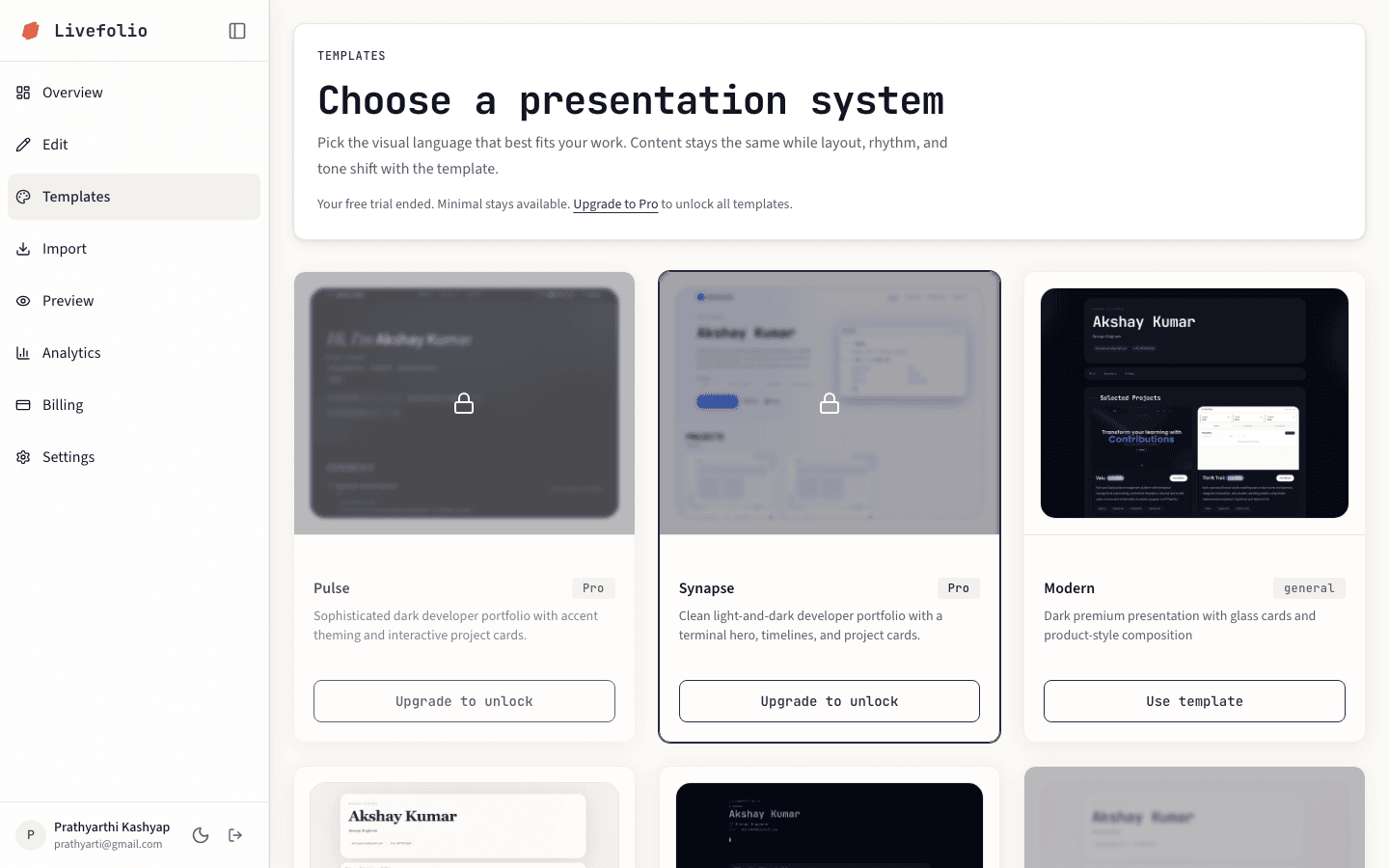
Click Templates in the sidebar to see the full gallery with a live thumbnail of each design.
- 2
Pick a template
Click a template to apply it. Templates marked with a lock need the free trial or Pro.
- 3
Check it in Preview
Open Preview to see your own content in the new design.
Free templates
Minimal, Modern, Corporate, Developer, Vibrant, Paper and Airy are always free. Every other template is unlocked during the trial and on Pro.