
How to preview and customise your portfolio
Switch devices, change the accent colour and reorder sections.
Open in Livefolio- 1
Open Preview
Click Preview in the sidebar. Your portfolio renders exactly as visitors will see it.
- 2
Switch between desktop and mobile
Use the device buttons in the toolbar to check both layouts.
- 3
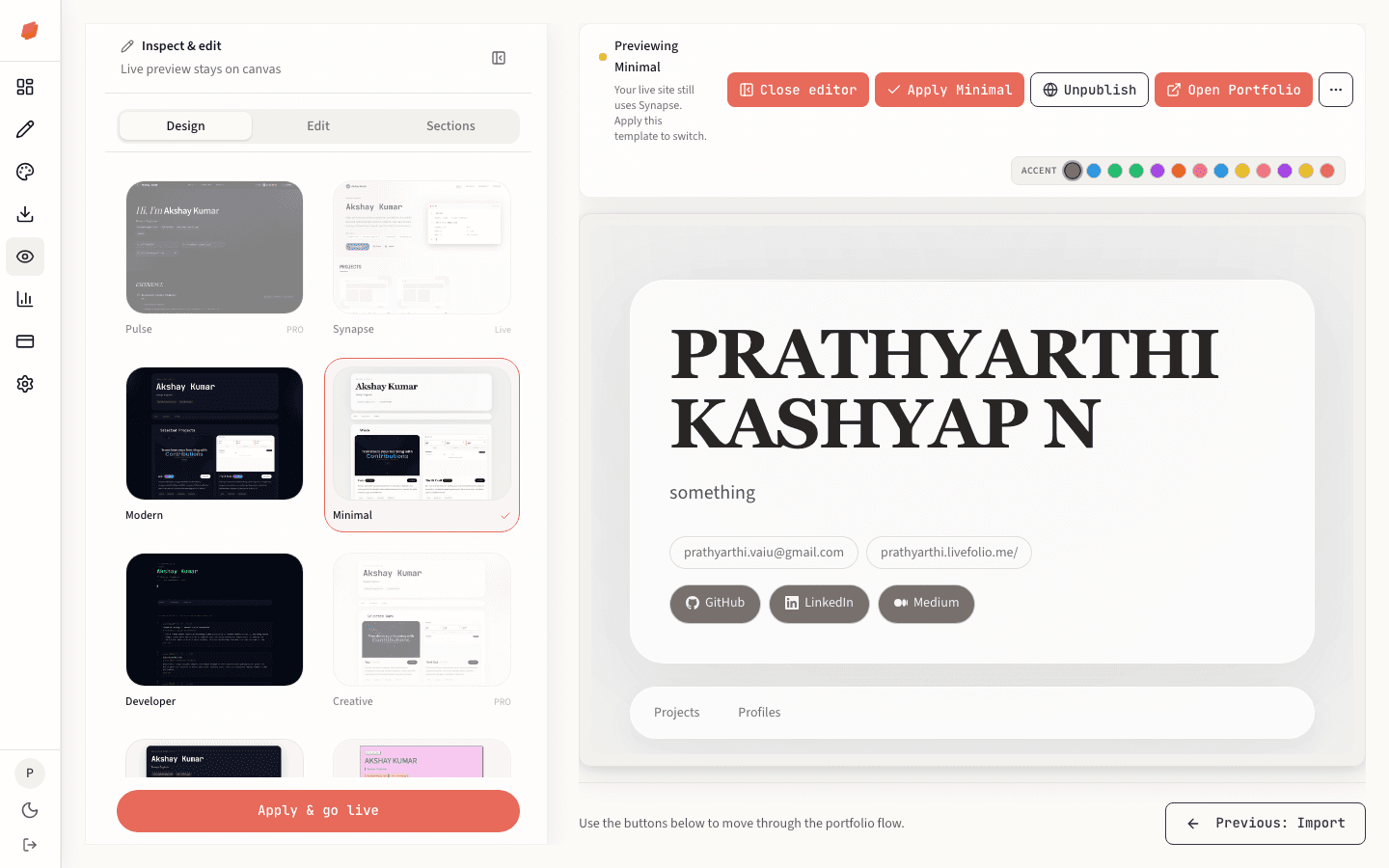
Open the editor panel
Click Edit in the toolbar to open the side panel. Design lets you switch templates and accent colours; Sections lets you drag sections into a new order.
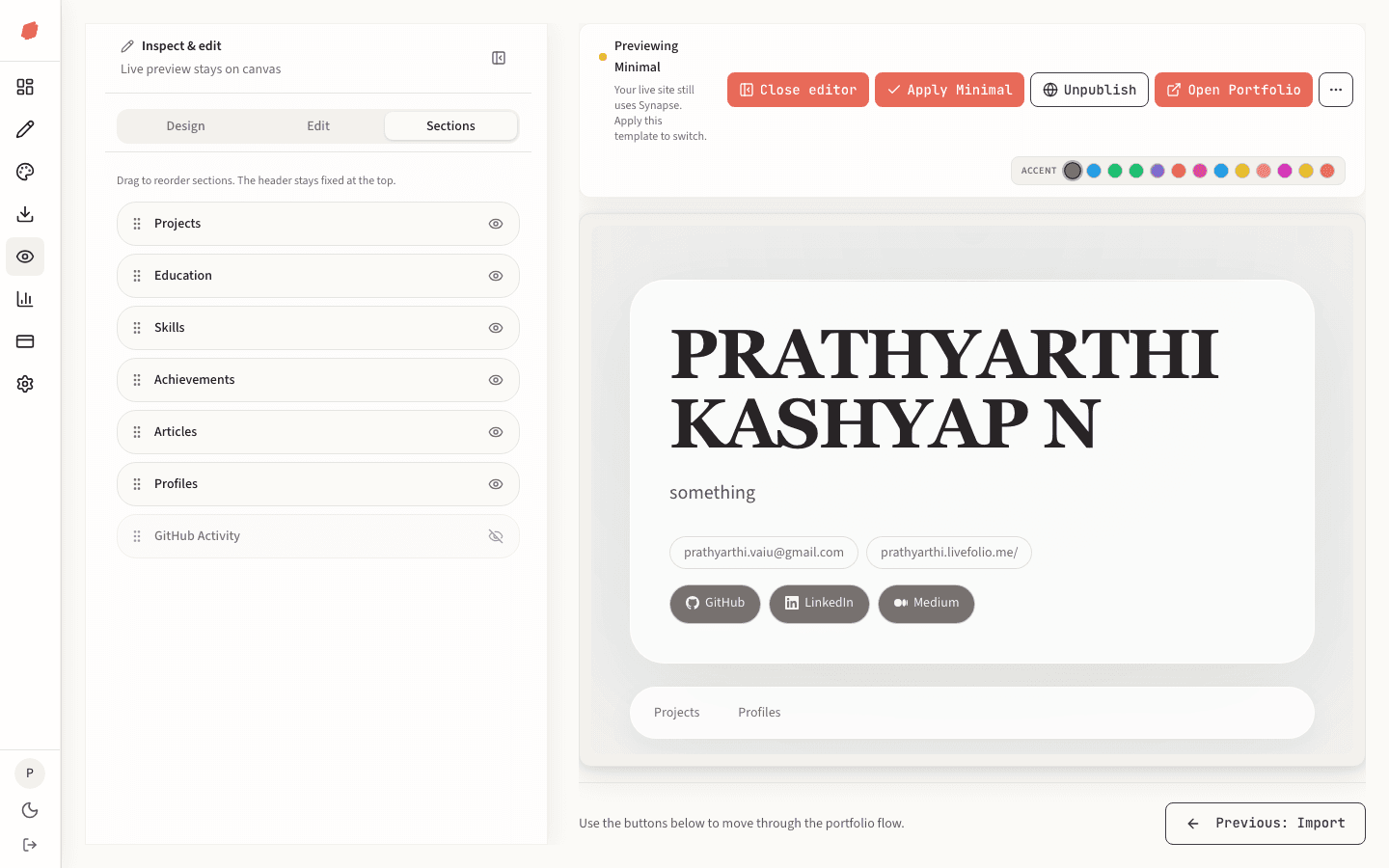
- 4
Apply your changes
When you change the template or design, click Apply in the toolbar to save it.
Tip
You can also edit content right from the panel without leaving Preview.